Weighted Average Calculator
Calculate a weighted mean from paired values and weights with contribution percentages, normalized weights, and an audit table.
- weighted mean
- weighted grade average
- average with weights
- weighted score
Enter values in the same order as their weights.
Weights can be counts, points, decimals, or percentages; they do not need to total 100.
Status: initial
Results
Awaiting calculation
Average values according to their importance
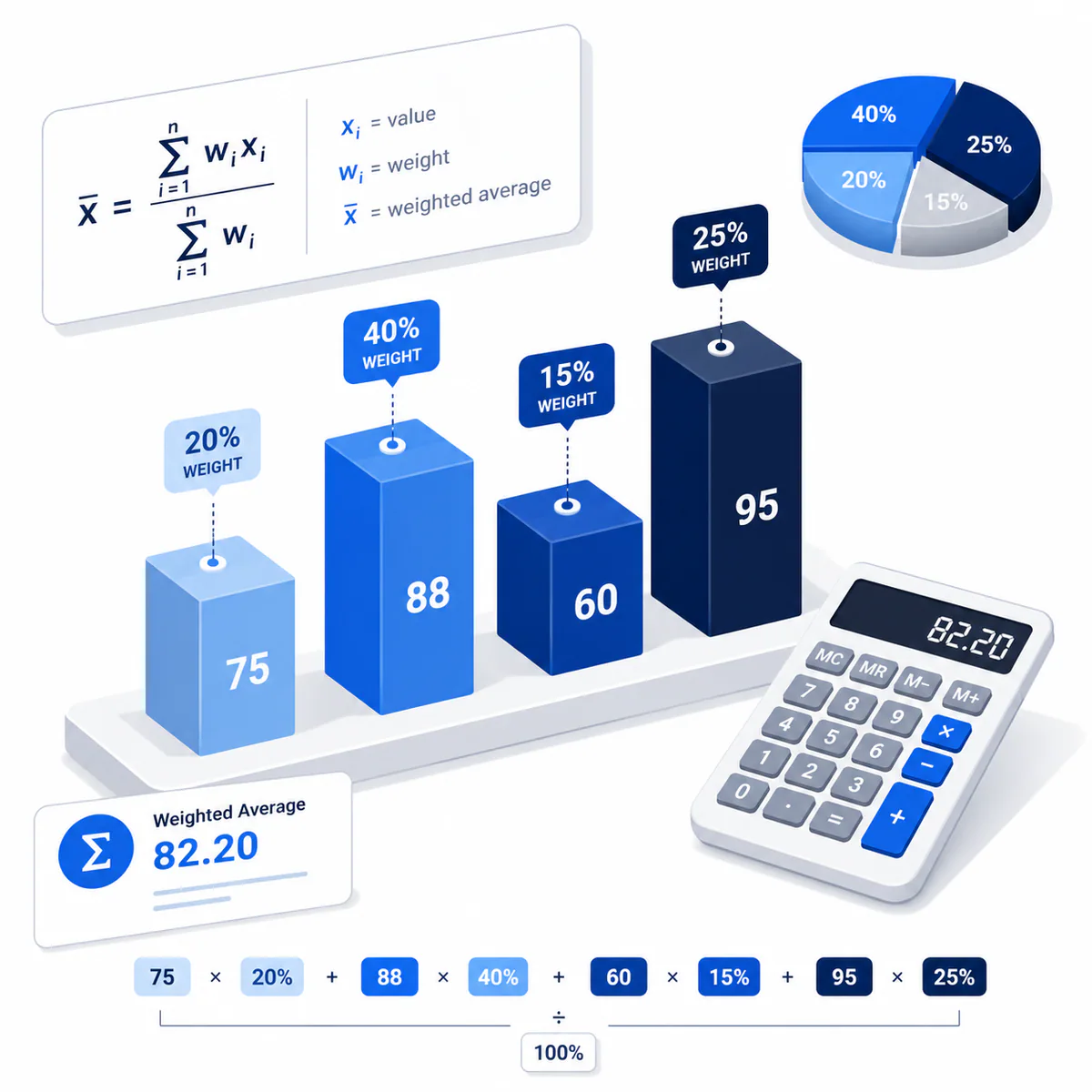
This Weighted Average Calculator pairs each value with a weight, normalizes the weights automatically, and shows how much every pair contributes to the final weighted mean.
When a simple average is not enough
Use a weighted average when observations carry different importance, frequency, credit hours, quantities, or percentages—for example course grades, portfolio returns, unit costs, or survey groups.
How the weighted mean works
Multiply every value by its corresponding weight, add those products, and divide by the sum of all weights. Scaling every weight by the same factor leaves the answer unchanged.
Variable explanations
Understand what each input and result means before calculating.
Values
The scores, prices, returns, or measurements being combined.
Weights
Non-negative importance, frequency, quantity, or percentage assigned to each value.
Weighted product
A value multiplied by its matching weight.
Weight share
A weight divided by the total of all weights.
Weighted average
The sum of weighted products divided by total weight.
Reviewed by the Calculator.org.in Editorial Team
Formula behavior, validation cases, explanatory examples, and cited sources are checked before publication. This review supports educational accuracy and is not a substitute for qualified professional advice.
Last reviewed: 2026-08-08
Formula guide
See the calculation logic, variable definitions, and practical meaning.
Weighted average
x̄w = Σ(wᵢxᵢ) / Σwᵢ
- xᵢ is a value
- wᵢ is its non-negative weight
The denominator normalizes weights even when they do not total 1 or 100.
Normalized weight
Weight shareᵢ = wᵢ / Σwᵢ
- Shares total 1, or 100%
Normalized weights make each item’s influence easier to compare.
Worked examples
Follow realistic inputs through the calculation step by step.
Worked example
Weighted course grade
- 1Enter scores 80, 90, 75 and weights 20, 50, 30.
- 2Weighted sum is 8,350 and total weight is 100.
- 3Weighted average is 83.5.
Worked example
Average unit cost
- 1Buy 10 units at ₹40 and 30 units at ₹50.
- 2Use values 40, 50 and weights 10, 30.
- 3Weighted unit cost is ₹47.50.
Worked example
Equivalent weight scales
- 1Values 60 and 90 with weights 1 and 3 give 82.5.
- 2Weights 25 and 75 express the same proportion.
- 3The weighted average remains 82.5.
Common mistakes
Avoid these common input and interpretation errors.
Mismatching list order
Each weight must occupy the same position as the value it belongs to.
Dividing by item count
Divide the weighted sum by total weight, not by the number of pairs.
Mixing percentages and raw quantities accidentally
Weights may use either scale, but all weights should represent one consistent basis.
Using negative weights without a model
This calculator accepts non-negative weights for conventional weighted means.
Frequently asked questions
Quick answers to the questions users ask most often.
Must weights add to 100?
Can a weight be zero?
Can weights be decimals?
Why is the weighted average different from the simple average?
Can I use this for weighted grades?
Can I paste columns from a spreadsheet?
References
Sources used to support the calculator guidance.
Related calculators
Continue with calculators that solve nearby problems.
Version history
A transparent record of calculator content updates.
- 1.0.0 · 2026-08-08
Initial release with paired list validation, normalized weights, contribution table, and unweighted comparison.