Tile Calculator
Estimate floor or wall tiles using both area and edge-layout methods, then calculate waste, boxes, spares, adhesive, grout, labour, and project cost.
- how many tiles do i need
- floor tile
- wall tile
- tile boxes
- tile wastage
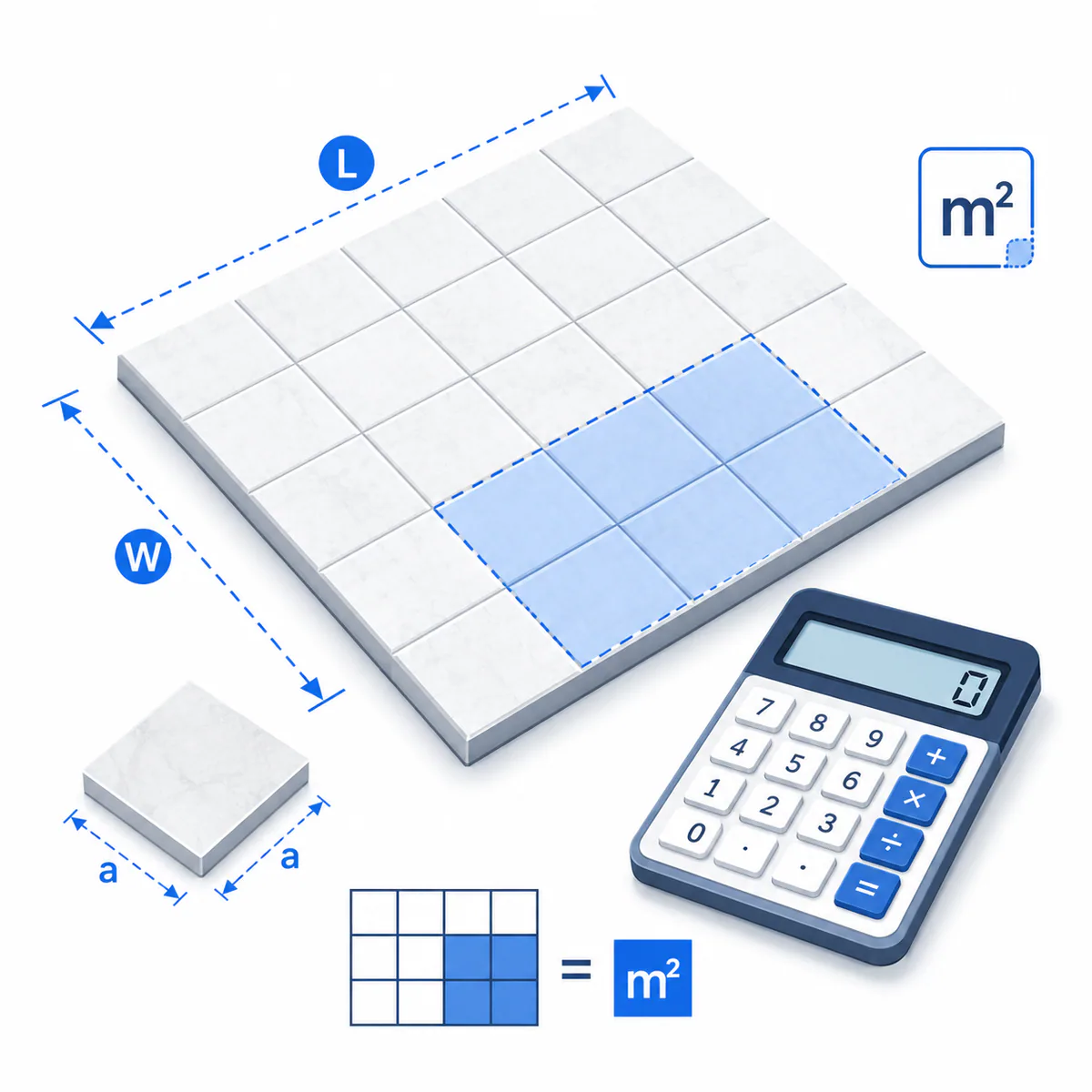
Metres in metric mode or feet in imperial mode.
Use width for a floor or height for a wall.
Multiply one rectangle and its openings, such as matching shower walls.
Doors, windows, niches, or uncovered area in m² or ft².
Optional combined area from other rectangles in m² or ft².
Millimetres in metric mode or inches in imperial mode.
Millimetres in metric mode or inches in imperial mode.
Millimetres in metric mode or inches in imperial mode.
Used only for the grout estimate; millimetres or inches.
Used only when Custom allowance is selected.
Use the exact carton or product-listing quantity.
Installed m² or ft² covered by one bag, from the product data.
Applied to net installed area in the selected area unit.
Status: initial
Results
Awaiting calculation
See how area, edge cuts, and boxes change the takeoff
The visual result keeps the two counting methods separate, then shows the whole-box order and the repair stock created by rounding.
- Area method63
- Edge-grid method63
- Recommended tiles63
- Boxes16
Whole-box tile order
- Calculated recommendation
- 63
- Box-rounding spares
- 1
Turn the takeoff into a reliable order
- 1Confirm actual tile dimensions, grout joint, pieces per box, and one production batch with the supplier.
- 2Dry-lay or mark the pattern to check centring, perimeter cuts, niches, transitions, and reusable offcuts.
- 3Verify adhesive and grout coverage for the substrate, tile format, trowel notch, joint profile, and installation method.
If the area and edge-grid counts differ sharply, the room-to-tile fit matters. Mark the actual starting lines and test whether perimeter offcuts can be reused before finalising the order.
A tile takeoff that shows where the extra pieces come from
The Tile Calculator estimates floor, wall, shower, and backsplash tile with metric or imperial measurements. Unlike a single area-division result, it compares a pattern-adjusted area count with a conservative rows-and-columns edge-grid count, then converts the governing quantity into boxes, spares, adhesive, grout, labour, and cost.
When to use this calculator
Use it for an early material takeoff, supplier comparison, or quote check when one rectangular surface—or several identical surfaces—uses one tile size. Add irregular rectangles as extra area and subtract meaningful openings. Before ordering, an installer should verify the actual starting lines, pattern repeat, cut reuse, trim, substrate, movement joints, and product-specific coverage.
How the tile recommendation is chosen
The area method divides net surface area by the tile-plus-joint module and applies the selected pattern allowance. The edge-grid method rounds the surface up to whole tile positions across and down, then adjusts openings and extra area as equivalent modules. The calculator recommends the higher result, rounds it to whole boxes, and shows the box-rounding spares separately.
Variable explanations
Understand what each input and result means before calculating.
📐 Surface dimensions
Use floor length and width or wall length and height. For an L-shaped area, calculate the main rectangle here and add the remaining rectangles in Additional irregular area.
🚪 Openings
Subtract doors, windows, large niches, permanent uncovered zones, or other meaningful omissions per identical surface. Small cutouts may not reduce purchasing because surrounding tiles still need cutting.
▦ Tile dimensions
Enter the actual tile face size in millimetres or inches. Nominal product names can differ from measured dimensions, especially with handmade or calibrated products.
↔️ Grout joint
The joint is included in the layout module and grout calculation. Select a joint that is compatible with tile variation, edge type, substrate, product instructions, and installer requirements.
🧩 Pattern allowance
The calculator uses 10% for straight, 12% for offset, 15% for diagonal, and 20% for herringbone or complex work. These are planning defaults, not universal installation rules.
📦 Tiles per box
Use the exact pieces-per-box value from the carton or listing. Different colours, finishes, sizes, and production runs can have different pack quantities or coverage.
🧱 Adhesive coverage
Enter installed area per bag from the chosen adhesive. Coverage depends on trowel notch, tile format, back-buttering, substrate flatness, and application technique.
🪣 Grout inputs
Tile thickness is used as grout depth. Actual joints may be shallower, while textured or bevelled edges may consume differently; confirm with the grout manufacturer.
₹ Project rates
Enter tile, adhesive, grout, and labour rates in Indian rupees. Waterproofing, backer board, levelling, demolition, trim, delivery, tax, and tools are not separate inputs.
Reviewed by the Calculator.org.in Editorial Team
Formula behavior, validation cases, explanatory examples, and cited sources are checked before publication. This review supports educational accuracy and is not a substitute for qualified professional advice.
Last reviewed: 2026-08-09
Formula guide
See the calculation logic, variable definitions, and practical meaning.
Net tiled area
(length × width × identical surfaces) + additional area − openings
- Length and width describe one rectangular floor or wall
- Openings are entered per identical surface
- Additional area combines other measured rectangles
This is the physical area that receives tile, adhesive, grout, and area-based labour.
Pattern-adjusted area count
ceiling[net area ÷ ((tile length + joint) × (tile width + joint)) × (1 + allowance)]
- The module includes the grout joint
- Allowance depends on the selected pattern
- The result rounds up to whole tiles
This method is efficient when offcuts can be reused but still reserves material for pattern cuts and breakage.
Conservative edge-grid count
ceiling[(surface length + joint) ÷ tile module length] × ceiling[(surface width + joint) ÷ tile module width]
- Every partial perimeter position is treated as a tile position
- Openings and extra area are adjusted as equivalent modules
- The method does not optimize offcut reuse
It acts as a conservative cross-check for rooms whose dimensions do not divide cleanly by the tile module.
Whole boxes and spares
boxes = ceiling(recommended tiles ÷ tiles per box); spares = boxes × tiles per box − recommended tiles
- Recommended tiles are the higher of the two methods
- Tiles per box must come from the exact carton
- Spare tiles are created by box rounding
The result distinguishes calculation allowance from the additional pieces caused by whole-box purchasing.
Grout estimate
net area × (1/tile length + 1/tile width) × joint width × joint depth × grout density × 1.10
- The model uses 1,600 kg/m³ grout density
- Joint width and tile depth control joint volume
- Ten percent is added for mixing and application loss
This is an approximate rectangular-joint volume. Product formulation, tile edges, joint fullness, and application loss can change usage.
Worked examples
Follow realistic inputs through the calculation step by step.
Worked example
Straight-set 600 × 600 mm floor
- 1Choose metric and enter a 5 m × 4 m floor with no openings.
- 2Enter 600 × 600 mm tile, a 3 mm joint, straight pattern, and four tiles per box.
- 3Compare the pattern-adjusted area count with the edge-grid count before using the rounded box order.
Worked example
Bathroom wall with a door opening
- 1Enter wall length and tiled height, then enter the door area as an opening.
- 2Use the wall-tile dimensions and selected grout joint.
- 3Review whether the door location creates more edge cuts than the equivalent-area opening adjustment represents.
Worked example
Imperial backsplash with subway tile
- 1Choose imperial and enter backsplash length and height in feet.
- 2Enter tile dimensions and grout joint in inches, then choose offset / running bond.
- 3Use the box count for ordering and keep same-batch spares for outlets or future repairs.
Worked example
Compare a diagonal layout
- 1Calculate the project with its intended dimensions and tile size.
- 2Review the pattern scenario table for straight, offset, diagonal, and herringbone allowances.
- 3If diagonal changes the box count, validate the allowance with a dry layout and installer.
Worked example
Combine two rectangles
- 1Use the larger rectangle for surface length and width.
- 2Calculate the smaller rectangle separately and enter its area under Additional irregular area.
- 3Treat the grid comparison as approximate because the additional area's shape is not known.
Worked example
Build an Indian material budget
- 1Enter current prices per tile box, adhesive bag, grout bag, and installed area.
- 2Review the material takeoff and total project cost.
- 3Add substrate work, waterproofing, skirting, trims, freight, GST, demolition, and tools outside this model.
Common mistakes
Avoid these common input and interpretation errors.
Using nominal rather than actual tile size
Small dimension differences accumulate across many rows and can change edge cuts or grid positions.
Mixing feet with inches or metres with millimetres
Surface and tile inputs intentionally use different scale units; choose the measurement system first and follow each field label.
Treating the area quotient as the final order
Area division does not expose edge positions, pattern cuts, breakage, whole boxes, or retained spares.
Adding waste twice
The area method already includes the selected pattern allowance. Box-rounding spares are shown separately rather than adding another hidden percentage.
Assuming every cut offcut is reusable
The conservative grid assumes poor reuse; the area method assumes better material efficiency. The actual layout lies between them.
Subtracting every small fixture
A small opening can still consume most of the surrounding tile, so subtract only meaningful uncovered areas.
Guessing tiles per box
Pack quantity and stated coverage vary by exact SKU. Use the carton rather than a generic size table.
Ignoring shade and calibre batches
A later box can differ in tone or dimensions. Order the planned quantity together and retain labelled spares.
Using generic adhesive coverage
Large-format tile, uneven substrates, larger notches, and back-buttering can materially increase adhesive usage.
Treating calculated grout as guaranteed
Joint profile, depth, tile edges, waste, density, and application technique affect real grout consumption.
Forgetting trim and substrate materials
Edge profiles, backer board, membranes, levelling, waterproofing, movement joints, and preparation are separate takeoff items.
Frequently asked questions
Quick answers to the questions users ask most often.
How many tiles do I need?
Why are two tile counts shown?
Which tile count becomes the recommendation?
Does grout spacing change tile quantity?
How much extra tile should I buy?
Why must I enter tiles per box?
Can I calculate wall tiles?
Can I calculate an irregular room?
Does the result include adhesive?
How is grout estimated?
Does it include labour cost?
Should I keep spare tiles?
Is this an installation specification?
References
Sources used to support the calculator guidance.
- BuildDecide — Tile Calculator
- TryBuildCalc — Tile Calculator
- SiteworkMath — Tile Calculator
- Calculator Academy — Tile Calculator
- TheBuildingCode — Tile Calculator
- ToolTea — Tile Calculator
- MaterialEstimate — Tile Calculator
- BuildCalcOnline — Tile Calculator
- QuikCalcTools — Tile Calculator
- TileCalculators.com — Tile Planner
- MSI Surfaces — Tile Pattern Tool
- Daltile — Floor Pattern Guidance
- H & R Johnson India — Tiles Calculator
- Why Tile — Field Guide to Tile
Related calculators
Continue with calculators that solve nearby problems.
- Paint Calculator
- Square Footage Calculator
- Area Calculator
- Drywall Calculator
- Concrete Calculator
- Percentage Calculator
Version history
A transparent record of calculator content updates.
- 1.0.0 · 2026-08-09
Initial independent release with metric and imperial surfaces, openings and irregular area, tile-and-joint modules, area and conservative edge-grid comparison, pattern scenarios, box rounding, spares, adhesive, grout, labour, and rupee cost planning.