Soil Calculator
Estimate topsoil, garden mix, compost, potting mix, or fill dirt by finished volume, settlement, weight, bags, bulk units, delivery loads, amendments, and cost.
- how much soil do i need
- topsoil volume
- raised bed soil
- soil bags
- cubic yards soil
Metres in metric mode or feet in imperial mode.
Metres in metric mode or feet in imperial mode.
Structures or zones receiving no soil, in m² or ft².
Combined extra rectangles in m² or ft².
Centimetres in metric mode or inches in imperial mode.
Used only when Custom density is selected.
Extra loose volume reserved for settling or light compaction.
Extra for spillage, uneven grade, and final levelling.
Sensitivity allowance above the selected dry loose density.
Shows a volume blend split; use 0 for one premixed material.
Use 0 to exclude delivery-load estimation.
Status: initial
Results
Awaiting calculation
See how a finished bed becomes a loose soil order
The result keeps finished soil, settlement reserve, handling loss, package rounding, and moisture-sensitive transport weight separate.
- Finished volume2
- Settlement reserve0.2
- Handling reserve0.11
- Order volume2.31
Loose soil order volume
- Finished volume
- 2
- Settlement reserve
- 0.2
- Handling reserve
- 0.11
Turn the estimate into a safe delivery plan
- 1Confirm finished depth, soil grade, actual loose bulk density, moisture condition, and whether supplier volume is loose or settled.
- 2Compare exact bag fill, bulk-unit rounding, minimum order, delivery charge, unloading location, and handling effort.
- 3Verify payload, axle limits, gate width, turning space, overhead clearance, tipping surface, drainage, soil suitability, and any required testing.
Volume controls how much space the soil fills, while density and moisture control how much it weighs. Confirm both with the supplier before choosing bags, bulk units, or vehicle loads.
A soil estimate that connects finished depth to the actual order
The Soil Calculator estimates topsoil, garden mix, compost, potting mix, and fill dirt for rectangular beds, lawns, planters, borders, and levelling areas. It keeps finished volume, settlement allowance, handling loss, density, moisture sensitivity, package rounding, blend proportions, delivery loads, and costs visible as separate planning decisions.
When to use this calculator
Use it before requesting supplier quotes, filling raised beds, preparing a lawn, improving a border, topping up planters, or planning non-structural landscape fill. It compares litre or cubic-foot bags, kilogram bags, and bulk bags, scoops, or loads. Structural earthworks, contaminated land, engineered fill, retaining structures, and bearing applications require qualified investigation, specifications, compaction testing, and local compliance.
How the loose soil order is built
The calculator multiplies net area by finished depth, adds the settlement allowance to that placed volume, and then applies handling and levelling allowance to the subtotal. It converts the resulting loose order volume into litres, cubic feet, cubic yards, dry and wet-sensitive weights, rounded package quantities, amendment shares, delivery payloads, and entered-price comparisons.
Variable explanations
Understand what each input and result means before calculating.
📐 Area dimensions
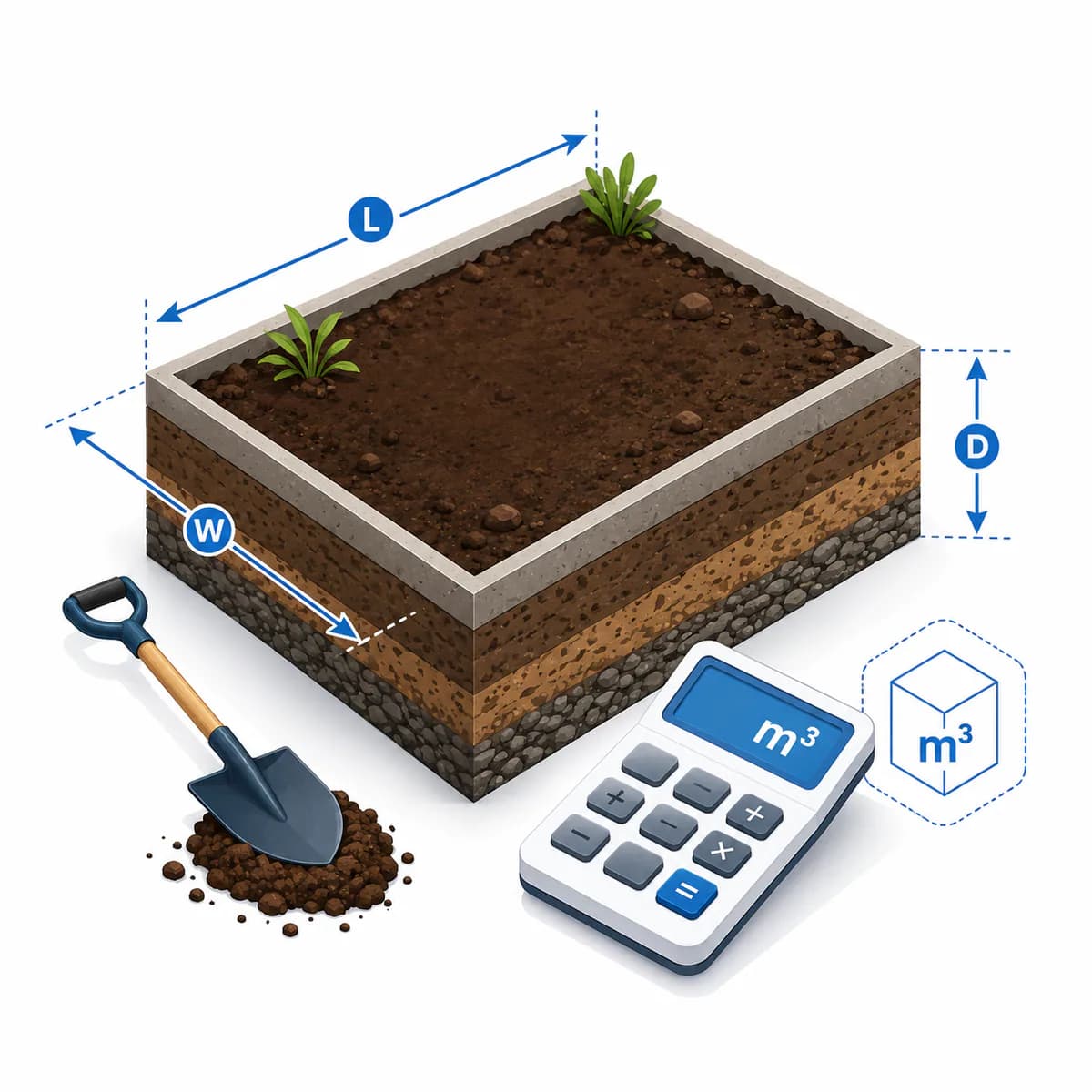
Measure internal finished length and width. Use Identical beds only for equal rectangles; combine other rectangles under Additional measured area.
↕️ Finished depth
Enter the soil depth you want after spreading and levelling. Lawn top-dressing, new lawns, borders, vegetable beds, raised beds, and planters can require very different depths.
🌱 Soil or growing medium
The preset changes dry loose density for weight conversion. Topsoil, garden mixes, compost, potting media, and fill dirt can differ substantially by mineral content, organic matter, screening, and moisture.
⬇️ Settlement allowance
This adds loose volume before ordering. Ask whether the supplier's quoted quantity is loose, heaped, settled, or compacted and whether the intended use allows compaction.
🧹 Handling allowance
This covers spillage, uneven excavation, grade variation, final levelling, and small measuring errors. It is applied after the settlement allowance.
💧 Wet-weight sensitivity
Moist soil can be much heavier than dry loose soil. This percentage increases estimated transport weight for payload planning without changing volume.
🧪 Amendment share
Enter a percentage only when planning a custom volume blend. Use zero when purchasing a premixed raised-bed, garden, or topsoil product. Base any actual amendment on soil tests and plant needs.
🛍️ Volume bags
Enter the package volume printed on the product in litres or cubic feet. Bag names and nominal weights do not guarantee a specific volume.
⚖️ Weight bags
Weight-bag count uses the selected dry density. A product sold by kilograms can occupy a different volume when moisture, composition, or packing changes.
🚚 Bulk units and delivery
A bulk unit may be a bag, scoop, bucket, or quoted load. Enter its stated cubic metres or cubic yards, then use vehicle payload and per-load delivery charge to expose transport constraints.
Reviewed by the Calculator.org.in Editorial Team
Formula behavior, validation cases, explanatory examples, and cited sources are checked before publication. This review supports educational accuracy and is not a substitute for qualified professional advice.
Last reviewed: 2026-08-09
Formula guide
See the calculation logic, variable definitions, and practical meaning.
Net soil area
(length × width × identical areas) + additional area − exclusions
- Length and width describe one rectangular bed or lawn area
- Exclusions are entered per identical area
- Additional area combines other measured rectangles
Net area receives the selected finished soil depth. Irregular shapes should be divided into measurable rectangles.
Finished placed volume
net area × finished depth
- Metric depth is entered in centimetres
- Imperial depth is entered in inches
- All internal calculations use cubic metres
This is the target volume after spreading and levelling, before loose-material allowances.
Loose order volume
[finished volume × (1 + settlement allowance)] × (1 + handling allowance)
- Settlement and handling are applied sequentially
- Settlement reserve covers expected loss of loose volume
- Handling reserve covers spillage, uneven grade, and levelling
Keeping the allowances separate shows why their combined effect is slightly larger than simply adding the percentages.
Weight sensitivity
dry weight = order volume × dry loose density; wet sensitivity = dry weight × (1 + wet-weight increase)
- Density is selected by soil type or entered manually
- Moisture changes transport weight, not geometric volume
- Supplier measurements govern the final load
The wet result is a payload sensitivity check rather than a prediction of actual moisture content.
Rounded purchasing units
units = ceiling(order quantity ÷ package or bulk-unit quantity)
- Volume bags round by litres or cubic feet
- Weight bags round by dry kilograms
- Bulk units round by cubic metres or cubic yards
Each method rounds independently, so purchased volume, weight, surplus, and cost are not expected to match exactly.
Blend split
amendment volume = order volume × amendment share; base soil = order volume − amendment volume
- The split is by volume, not weight
- Zero amendment represents one premixed material
- Agronomic suitability must be confirmed separately
The blend table is useful for planning compost or conditioner proportions but is not a soil-test prescription.
Worked examples
Follow realistic inputs through the calculation step by step.
Worked example
Topsoil for a new lawn
- 1Enter the lawn rectangles and desired finished depth.
- 2Select screened topsoil and set realistic settlement and handling allowances.
- 3Use cubic metres or bulk units for supplier quotes and check wet payload before delivery.
Worked example
Fill several identical raised beds
- 1Measure the internal length, width, and finished fill depth of one bed.
- 2Enter the number of identical beds and choose garden / raised-bed mix.
- 3Compare volume bags with bulk units and confirm where the delivery can be unloaded.
Worked example
Plan a compost-amended border
- 1Enter the border area and improvement depth.
- 2Set the amendment share to the planned compost percentage by volume.
- 3Use the blend table as a quantity split, then validate the proportion against a soil test or horticultural recommendation.
Worked example
Compare 40-litre bags with bulk soil
- 1Enter 40 litres as the volume bag size and its current price.
- 2Enter the supplier's exact bulk-unit volume, price, payload, and delivery charge.
- 3Compare rounded quantities and totals rather than comparing nominal unit prices alone.
Worked example
Use an imperial supplier quote
- 1Choose imperial for feet and inches.
- 2Select cubic feet for retail bags or cubic yards for bulk units.
- 3Read the result in cubic yards, cubic feet, cubic metres, litres, and tonnes without manual conversion.
Worked example
Check a delivery payload
- 1Use the supplier's loose bulk density or choose the nearest material preset.
- 2Enter a wet-weight increase and the vehicle payload capacity in tonnes.
- 3Treat the resulting loads as a sensitivity check and have the supplier confirm actual loading and legal limits.
Common mistakes
Avoid these common input and interpretation errors.
Confusing finished and loose volume
A bed's final geometric volume can require more loose material when soil settles, compacts lightly, or fills uneven grade.
Adding allowances to depth and again to volume
Enter the intended finished depth once. The calculator adds settlement and handling volume separately.
Treating litres, kilograms, and tonnes as interchangeable
Litres measure volume while kilograms and tonnes measure mass. Density and moisture are required to convert between them.
Using one generic density for every soil
Organic potting mix, compost, screened topsoil, clay-rich dirt, and wet fill can have very different bulk densities.
Ignoring moisture in transport planning
Rain or stockpile moisture can increase payload weight substantially even when the ordered volume is unchanged.
Assuming a tonne bag contains one tonne
Bulk bags are often named informally. Confirm both stated volume and actual or maximum filled weight with the supplier.
Subtracting every plant or post
Small obstructions often displace little soil and still create grading waste. Subtract only meaningful excluded areas.
Measuring raised-bed outside dimensions
Use internal length, width, and usable depth so wall thickness and false bottoms do not inflate soil volume.
Ignoring bulk-unit rounding
Suppliers may sell only whole bags, scoops, or minimum loads. The bulk comparison rounds up to the entered unit size.
Comparing costs without delivery
Bulk material can have a low unit price but a large delivery minimum or multiple payload charges.
Using compost as a complete topsoil substitute
Compost is an organic amendment, not automatically a stable mineral growing medium. Match soil composition to the planting and drainage goal.
Using landscape topsoil as structural fill
Bearing, pavement, retaining, and building-adjacent fill require engineered material criteria, lift placement, moisture control, and compaction testing.
Frequently asked questions
Quick answers to the questions users ask most often.
How much soil do I need?
How do I calculate soil for a raised bed?
How many litres are in one cubic metre?
How many cubic feet are in one cubic yard?
Why does the calculator add settlement before handling allowance?
How much does a cubic metre of topsoil weigh?
Why are dry and wet weights different?
How are volume bags calculated?
How are kilogram bags calculated?
Why do volume-bag and weight-bag quantities imply different volumes?
Should I buy soil in bags or bulk?
Does the cheapest option include delivery?
Can this calculator create a raised-bed soil recipe?
Can I use the result for structural fill?
Why should I confirm delivery access?
References
Sources used to support the calculator guidance.
- Farm Manager — Topsoil Calculator
- Calks.uk — Topsoil Calculator
- BuildCostLab — Topsoil Calculator
- Topsoil-Calculator.com — Cubic Yards, Tons & Bags
- GCalculate — Topsoil Calculator
- Plant Calculators — Soil Volume Calculator
- Nest Quantum — Soil Calculator
- Mix Design Calc — Topsoil Calculator
- Done in Browser — Soil Calculator
- CalculatorLib — Topsoil Volume & Cost
Related calculators
Continue with calculators that solve nearby problems.
- Mulch Calculator
- Cubic Yard Calculator
- Cubic Feet Calculator
- Volume Calculator
- Area Calculator
- Gravel Calculator
Version history
A transparent record of calculator content updates.
- 1.0.0 · 2026-08-09
Initial independent release based on a ten-result search benchmark, with metric and imperial geometry, separate settlement and handling allowances, material density, wet-weight sensitivity, litres, cubic feet, cubic yards, volume and weight bags, bulk units, amendment splitting, delivery payloads, and rupee cost comparison.